Thursday, 26 June 2025

QR code scam warning

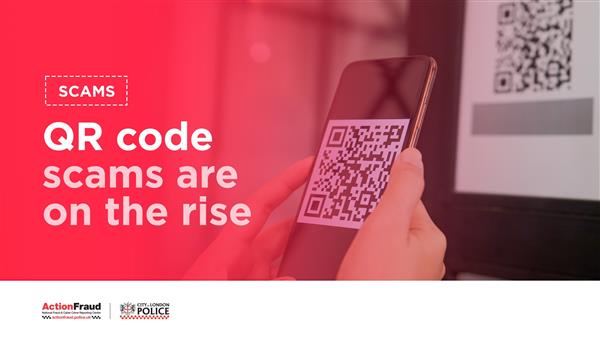
QR codes in pubs or restaurants are usually safe to scan, but fraudulent QR codes (also known as quishing scams) are most commonly found in car parks as stickers placed on parking machines.

Local councils and trading standards have recently put out warnings about QR code scams in car parks – use our six tips to identify a dodgy QR code.

Avoid dodgy QR codes

Source: Which? (25 Jun 2025) 

Latest scams doing the rounds

Stay in the know about recent scams that are targeting people across the UK.

The latest warnings to be aware of include a fake Netflix subscription email and parking fine text scams. Take a look at the full list based on your reports to our Which? Scam Action Alerts Facebook community and our scam-sharer tool.

See the trending scams

Source: Which? (24 Jun 2025) 

Beware of ticket scams this summer

From the Oasis reunion shows to the Wimbledon Championships – scammers are looking to take advantage of all the exciting events taking place this summer.

Our scams experts have shared their five top tips for buying legitimate tickets and avoiding dud deals, including how to stay safe on social media.

Five tips to avoid tickets scams

Source: Which? (24 Jun 2025) 

EC261: Air Passenger Rights

EC261 (formally Regulation (EC) No 261/2004) is an EU regulation that establishes common rules on compensation and assistance to air passengers in the event of:

  • Denied boarding: When an airline prevents you from boarding a flight, often due to overbooking.

  • Flight cancellations: When your flight is cancelled.

  • Long delays: When your flight arrives significantly late at its destination.

  • Downgrading: If you are placed in a lower class than what you paid for.

Key aspects of EC261:

  • Scope: It applies to flights departing from an EU airport (or Iceland, Norway, Switzerland) and flights arriving at an EU airport (or Iceland, Norway, Switzerland) if the airline is an EU carrier.

  • Compensation: Passengers may be entitled to financial compensation (ranging from €250 to €600, depending on flight distance) if their flight is delayed by three hours or more, cancelled with less than 14 days' notice, or if they are denied boarding due to overbooking, unless "extraordinary circumstances" (beyond the airline's control, like severe weather or political instability) are to blame.

  • Assistance and Care: Regardless of the reason for the delay or cancellation, airlines must provide passengers with:

    • Meals and refreshments in reasonable relation to the waiting time.

    • Two free phone calls, emails, or faxes.

    • Hotel accommodation and transport between the airport and hotel if an overnight stay is necessary.

  • Reimbursement or Re-routing: In cases of cancellation or delays of five hours or more, passengers have the right to choose between:

    • A full refund of their ticket for the unused parts of their journey.

    • Re-routing to their final destination at the earliest opportunity.

    • Re-routing at a later date of their choice.

It's important to note that while EC261 is an EU regulation, the UK has largely assimilated it into its own law post-Brexit. Therefore, similar rights apply to flights departing from or arriving in the UK.

If you believe your rights under EC261 have been infringed, you can typically claim compensation directly from the airline. If that doesn't resolve the issue, there are national enforcement bodies (like the Civil Aviation Authority in the UK) and alternative dispute resolution bodies that can assist.

To make a successful EC261 claim, it's essential to keep good records. While the exact documentation might vary slightly depending on the airline and the nature of your claim, here's a comprehensive list of proof you should aim to keep:

Essential Documents:

  1. Booking Confirmation/E-ticket: This is crucial. It contains your booking reference, flight number, departure and arrival airports, scheduled departure and arrival times, and passenger names.

  2. Boarding Pass(es): Keep all boarding passes, even for connecting flights. They provide concrete evidence that you were checked in for and intended to take the flight.

  3. Proof of Identity: While not always required in the initial claim, having a copy of your passport or national ID (especially if it was used for booking) can be useful.

Evidence of the Disruption:

  1. Confirmation of the Delay/Cancellation:

    • Airline Communications: Any emails, SMS messages, or official letters from the airline informing you of the delay, cancellation, or denied boarding.

    • Screenshots: If the airline's website or airport information screens displayed the delay/cancellation, take photos or screenshots.

    • Announcements: Note down any announcements made at the airport, especially if they mentioned the reason for the disruption.

  2. Actual Flight Times:

    • Arrival Time: Crucially, if claiming for a delay, you need to prove your actual arrival time at your final destination. Use flight tracking apps (like FlightAware, FlightStats) to record this, or check the airline's official records.

    • Departure Time: Note the actual departure time from the gate.

Proof of Expenses Incurred (for reimbursement of care and assistance):

  1. Receipts for Meals and Refreshments: If you had to purchase food and drinks due to the delay, keep all receipts.

  2. Hotel Receipts: If you were provided with (or had to pay for) overnight accommodation, keep hotel invoices.

  3. Transport Receipts: Receipts for transport between the airport and your hotel (or home if nearby).

  4. Communication Costs: Records of phone calls, texts, or internet usage if you had to pay to communicate due to the disruption.

  5. Other Reasonable Expenses: Any other reasonable and necessary expenses incurred directly as a result of the flight disruption (e.g., if you missed a pre-paid event and had to buy new tickets, though this is often harder to claim).

Other Useful Information to Note:

  1. Date and Time of Delay/Cancellation: Be precise about when the event occurred.

  2. Reason Given by the Airline: Did the airline state a reason for the delay or cancellation? Note it down, even if it's vague. This helps determine if "extraordinary circumstances" were cited.

  3. Staff Names (if relevant): If you spoke to specific airline staff, noting their names can sometimes be helpful.

  4. Witness Details (optional): If you were traveling with others, or if there were other passengers who can corroborate your experience, their contact details could be useful.

Tips for Keeping Proof:

  • Take Photos: Take pictures of boarding passes, airport screens, and receipts.

  • Keep Digital Copies: Scan or photograph all physical documents and save them in a dedicated folder.

  • Organize: Keep all related documents together for easy access.

  • Be Persistent: If the airline initially rejects your claim, having thorough documentation strengthens your case for escalation to a national enforcement body.

Find out more at:

Wednesday, 25 June 2025

SCAM ALERT: Watch Out for "Portable AC" Email Offering Cheap Cooling!

We've received reports of a suspicious email circulating that claims to offer a "Portable AC" unit to "Cool Down Anytime, Anywhere" and "Refrigerate Any Room in 5 Minutes – Without Costly AC!"

If you receive an email with the subject "Beat the Heat with Ease" or similar, promoting a "TundraFreeze Portable AC" – PROCEED WITH EXTREME CAUTION!

Several red flags suggest this could be a phishing scam or a deceptive marketing attempt:

  • Unrealistic Claims: Cooling a room in 5 minutes with a portable, palm-sized device that uses 79% less electricity than central AC sounds too good to be true. Devices promising to drop temperatures by 10°C instantly or "refrigerate" a room are highly suspect, especially for a portable unit.

  • Generic Sender and Email Address: The sender's email address, a0935569660@gmail.com, is a generic Gmail address, not a legitimate company domain. This is a common tactic for scammers.

  • Urgency and Discount Pressure: The email pushes for an immediate action ("Claim Your 40% Off TundraFreeze Now"), a common tactic to rush users into making a decision without proper scrutiny.

  • Lack of Specific Company Information: While it mentions "International Medical Service Center" at the bottom, this seems entirely unrelated to a portable AC unit and is likely an attempt to add a veneer of legitimacy. The address provided (in Thailand) and phone number don't align with a product marketed heavily in the UK without clearer UK-specific contact details.

  • Poorly Worded and Grammatical Errors: Phrases like "the temperature drops 10°C in the ice stateCool without waiting" are awkward and suggest a lack of professional review, common in scam emails.

  • Unsubscribe Link Practices: While an unsubscribe link is present, interacting with it in a scam email can sometimes confirm your email is active, leading to more spam or malicious attempts.

What to do if you receive this email:

  • DO NOT click on any links in the email.

  • DO NOT reply to the email.

  • DO NOT enter any personal or payment information.

  • Mark the email as spam or junk in your email client.

  • Delete the email immediately.

Legitimate companies will use professional email addresses, provide clear and verifiable contact information, and make realistic claims about their products. Always be skeptical of unsolicited emails offering deals that seem too good to be true.

Stay safe online!


Scam Savvy: A Resounding Success at Bexleyheath Broadway!

Bexleyheath Broadway was buzzing on Tuesday, June 24th, as residents gathered for an engaging and highly informative event focused on combating cybercrime and enhancing community safety. From 10 AM to 12 PM, shoppers had the unique opportunity to meet BBC TV's Nick Stapleton, a renowned Cyber Crime specialist, alongside members of the Bexley Neighbourhood Watch Committee and Bexleyheath Police Officers.

The event, spearheaded by Grant Murrell, Chairman of Bexley Neighbourhood Watch, and supported by dedicated team members like Amrik and his wife, was a huge hit with the community. Madame Mayor of Bexley Borough, Cllr Christine Catterall, also attended, expressing her delight at the active interest shown by residents in the safety and well-being of Bexley.

Local police were on hand, offering invaluable advice and strengthening the vital partnership between residents and law enforcement. Their visible presence fostered confidence and encouraged meaningful conversations about neighbourhood safety. They also distributed their Met Engage initiative flyers, providing further resources for community involvement.

The highlight was Nick Stapleton, from the BBC programme Scam Interceptors, whose insightful and energetic contribution was incredibly well-received, adding significant value to the occasion. Attendees could also easily access a wealth of resources, including leaflets and guides, by scanning QR flyers displayed on the tables.

This fantastic display of community collaboration truly showcased what makes Bexley such a strong and connected borough. A big thank you to the Neighbourhood Watch team, the police, and everyone involved in making the day such a success!


SCAM ALERT: Beware of Fake "Cloud Storage Full" Emails!

Urgent warning to all UK internet users! We've received reports of a highly deceptive phishing email circulating that attempts to trick you into clicking malicious links by claiming your cloud storage is full.

See the screenshots attached to this post for examples of what this scam email looks like.

Key Red Flags that indicate this is a scam:

  • Sender Address: The email comes from "DRIVE ao.93.8463176@gmail.com". Reputable cloud storage providers like Google Drive, Microsoft OneDrive, or Dropbox would never send official notifications from a generic Gmail address or such a random-looking domain.

  • Generic Salutation: The email uses "Hello [FIRST_NAME]" instead of your actual name. Scammers often use generic greetings because they don't have your specific details.

  • Sense of Urgency/Threat: The subject line and content create a sense of panic ("Your Cloud storage could shortly become full - Don't risk losing your photos and videos"). This is a common tactic to rush you into making a mistake.

  • Vague "TotalDrive" Branding: While it mentions "TotalDrive," it doesn't clearly identify itself as a well-known cloud provider. This vagueness is intentional to make it seem like it could be any cloud service you might use.

  • Suspicious Links: The "Upgrade your Cloud storage now >>" button and "Backup" links are almost certainly designed to lead to a fake login page (where they'll steal your credentials) or install malware. DO NOT CLICK THESE LINKS!

  • Unsubscribe Link: While seemingly legitimate, a scammer might include an unsubscribe link that either doesn't work, confirms your email is active (leading to more spam), or leads to a malicious site.

  • Irrelevant Footer Information: The footer contains contact details for "Butik & Lager" with a Danish address and phone number. This is completely irrelevant to cloud storage and a clear sign of a cobbled-together scam.

What to do if you receive this email:

  1. DO NOT CLICK ANY LINKS!

  2. Mark it as Spam/Phishing: Report the email to your email provider.

  3. Delete it immediately.

  4. Check your actual cloud storage: If you're genuinely concerned about your cloud storage, log in directly through the official website (e.g., drive.google.com, onedrive.live.com) by typing the address into your browser – NOT by clicking links in emails.

Spread the word! Please share this warning with friends, family, and colleagues, especially those who might not be as tech-savvy. By being vigilant, we can help protect ourselves and others from these malicious attacks.

Stay safe online!


Tuesday, 24 June 2025

SCAM ALERT: "Dragons' Den Health Innovation" Weight Loss Pill Email - Likely Phishing

We've received reports of a suspicious email circulating that claims to be from "Dragons' Den Health Innovation" and promotes a "Miracle Weight Loss Pill" called "LumiLean." This email, which often comes with the subject line "(no subject)" and purports to offer significant discounts, is highly likely to be a phishing scam.

Key Red Flags and Why You Should Be Wary:

  • Unsolicited Email: The email appears to be unsolicited and sent from a generic Gmail address (e.g., aa0972205581@gmail.com) rather than an official company domain.
  • Fabricated "Dragons' Den" Connection: The email heavily features "Dragons' Den" branding and claims the product received "Nets Biggest Deal in Dragons' Den History." While it mentions a person named Isabelle Thorpe, it's highly improbable that the official Dragons' Den show or its investors would be promoting products through unsolicited emails from Gmail accounts.
  • Sensational Claims: The email uses highly sensational language like "Miracle Weight Loss Pill That Naturally Burns Fat" and promises "No Gym, No Strict Diets!" These types of claims are often characteristic of scam products.
  • Fake Testimonials/Celebrity Endorsements: The email includes what appear to be fabricated testimonials and celebrity endorsements (e.g., mentioning "Khloe Kardashian" and "Dawn French"). These are almost certainly fake and used to add false legitimacy.
  • Urgency and Discount Pressure: The email pushes for immediate action with "limited time promotion" and "40%+ discount" offers, a common tactic to rush recipients into making hasty decisions.
  • Generic "Reply" Address: While the "To" address is provided, the email is set up so you would reply to a generic Gmail address (removed).
  • Domain Mismatch: The email's content includes branding for "MailOnline," which seems completely unrelated to "Dragons' Den" or a health innovation company.

What to Do If You Receive This Email:

  1. DO NOT Click Any Links: Do not click on any "Secure Your 40% Discount Now!" or similar links within the email. These links could lead to malicious websites designed to steal your personal information, financial details, or infect your device with malware.
  2. DO NOT Reply: Do not reply to the sender.
  3. Delete the Email: Mark the email as spam or junk and delete it immediately.
  4. Be Skeptical: Always be extremely skeptical of unsolicited emails, especially those making extraordinary claims about health products or financial opportunities.
  5. Verify Information: If you are genuinely interested in a product or opportunity mentioned in an email, go directly to the official company's website (by typing their address into your browser, not by clicking a link in the email) to verify the information.

Stay vigilant online!


Friday, 20 June 2025

Safer online shopping after a cyberattack

Recent high-profile cyberattacks on businesses including Marks & Spencer and Co-op may have left you nervous about sharing your data when shopping online.

We look at the measures shoppers are taking to protect themselves and share some simple tips to keep your data safe and avoid scams.

Protect your personal data

Source: Which? (19 Jun 2025) 

Watch out for scams in Google ads

Dodgy websites are appearing at the top of Google search results, targeting drivers who are looking to pay the daily Ultra Low Emissions Zone (ULEZ) charge.

Search queries on Google for ‘pay ULEZ charge’ have been found to generate sponsored search results for websites that aren’t affiliated with TfL and that could leave you vulnerable to scammers. We explain how to spot and avoid these suspicious sites.

Steer clear of dodgy ads

Source: Which? (17 Jun 2025) 

Trending tax refund scams

Scammers impersonating HMRC are nothing new, but we've noticed that P800 (tax refund) scams are trending. This may be a result of scammers taking advantage of reported delays to tax refund requests.

Fraudsters might contact you by phone, text or email, but the real HMRC will never ask for your bank account details. We round up the warning signs to look out for.

How to spot a fraudster

Source: Which? (16 Jun 2025) 

SCAM ALERT: Watch Out for Fake Sainsbury's Job Offer Emails!

We've seen a concerning new phishing attempt circulating that targets individuals with what appears to be a job offer from Sainsbury's. This scam is particularly insidious as it preys on people actively seeking employment.

If you receive an email like the one pictured (see attached images), please be extremely cautious.


Why this is likely a scam:

  • Request for Sensitive Personal Information via Email: The email asks for highly sensitive data such as your date of birth, address, legal gender, and National Insurance number. Legitimate companies, especially those as large as Sainsbury's, would almost certainly not ask for this level of personal detail via a direct email with a clickable link. They would typically direct you to a secure portal or an official HR system, often after a formal offer has been made through a verified process.
  • The Sender's Email Address: While the sender name appears as "Sainsburys Recruitment," the actual email address shown in the second image is Sainsbury.Recruitment@myhr.sainsburys.co.uk. While "sainsburys.co.uk" is part of the domain, the inclusion of "myhr." and the way it's presented can sometimes be a red flag. Sainsbury's official recruitment portal is typically accessed directly through their sainsburys.jobs website. While myhr.sainsburys.co.uk could theoretically be a legitimate subdomain, the combination of it with the highly suspicious request for personal data points heavily towards a scam. Sainsbury's explicitly states they will never ask for account details or passwords via email or a link from an email. (Source: sainsburys.jobs/privacy)
  • Urgency and Pressure: The phrase "Please make sure you accept this as soon as possible so that we can get you set up ready for your first day" creates a false sense of urgency, a common tactic in phishing scams to bypass critical thinking.
  • Generic "clicking here" link: Instead of providing a clear, official URL for a secure portal, it uses a generic "clicking here" link, which could easily lead to a fraudulent website designed to steal your information.

What to do if you receive this email:

  1. DO NOT click on the link.
  2. DO NOT reply to the email or provide any information.
  3. Mark it as spam/junk and delete it immediately.
  4. If you have applied for a job at Sainsbury's recently and are concerned, go directly to the official Sainsbury's careers website (sainsburys.jobs) and log in to your applicant portal or find their official contact details to enquire about your application status. Do not use any contact information provided in the suspicious email.
  5. Report the email: You can report suspicious emails to the National Cyber Security Centre (NCSC) by forwarding them to report@phishing.gov.uk.

Remember: Always be suspicious of unsolicited emails, especially those asking for personal or financial information, or those that create a sense of urgency. Always verify the authenticity of job offers through official channels.

SCAM ALERT: Urgent Warning About Fake DWP Winter Heating Allowance Texts

We've been made aware of a highly convincing scam text message circulating that claims to be from the DWP (Department for Work and Pensions) regarding a "Winter Heating Allowance for 2024-2025."

Please be extremely vigilant. If you receive a text message similar to the image attached to this post (which shows example of the scam message), DO NOT click on the link provided.


Key indicators this is a scam:

  • The Deadline: The messages often state a deadline of "18 June 2025." While this date has already passed, the scammers are still sending these texts, likely hoping people won't notice or will panic.
  • The Link: The URL provided in the scam texts is https://govuk.com-subsidymhaw.cfd/uk?MvI=Xx6Ks0. While it tries to look legitimate by including "govuk.com," this is not a genuine government website. Official UK government websites will always end in .gov.uk. The .cfd part of the domain is a strong indicator of a fraudulent site.
  • Unsolicited Messages: The DWP typically does not contact individuals out of the blue via text message for benefit applications, especially for something like a Winter Heating Allowance that is often automatically paid to eligible recipients.
  • Instructions to Reply "Y": The message asks you to "reply Y, then exit the SMS and open it again to activate the link." This is an unusual and suspicious instruction.

What to do if you receive this text:

  1. DO NOT click the link.
  2. DO NOT reply to the message.
  3. Delete the message immediately.
  4. Report the scam: You can report scam texts by forwarding them to 7726. This is a free service that helps phone providers investigate and block malicious numbers.
  5. Inform others: Please share this warning with friends, family, and vulnerable individuals who might be susceptible to such scams.

The DWP provides clear information on official ways they might contact you and how to spot scams. Always refer to the official Gov.uk website for any information regarding benefits and allowances.

Stay safe online and always be suspicious of unsolicited messages asking for personal information or directing you to external links.

New quishing alert: £3.5 million lost last year to fraudulent QR codes

Action Fraud is urging people to look out for rogue QR codes, after 784 reports of ‘quishing’ were made to Action Fraud between April 2024 and April 2025, with almost £3.5 million lost.

A new alert has been issued by Action Fraud, warning about quishing, a form of phishing where a fraudulent QR code is scanned, designed to steal personal and financial information. The warning encourages people to stay vigilant and double check QR codes to see if they are malicious, or have been tampered with, before scanning them online or in public spaces. 

Claire Webb, Acting Director of Action Fraud, said: 

“QR codes are becoming increasingly common in everyday life, whether it’s scanning one to pay for parking, or receiving an email asking to verify an online account. However, reporting shows cyber criminals are increasingly using quishing as a way to trick the public out of their personal and financial information. 

“We’re urging people to stop and check before scanning QR codes, to avoid becoming a victim of quishing. Look out for QR codes that may have been tampered with in open spaces, or emails and texts that might include rogue codes. If you’re in doubt, contact the organisation directly. You can follow our advice on quishing, on our website at www.actionfraud.police.uk to help protect yourself.”

Action Fraud can reveal that quishing happens most frequently in car parks, with criminals using stickers to tamper with QR codes on parking machines. Quishing also occurred on online shopping platforms, where sellers received a QR code via email to either verify accounts or to receive payment for sold items. 

Reports also showed phishing attacks were taking place impersonating HMRC, or other UK government schemes, targeting people with QR codes designed to steal personal and financial details. 

What can you do avoid being a victim of quishing?

  • QR codes used in pubs or restaurants are usually safe to scan.
  • Scanning QR codes in open spaces (like stations and car parks) might pose a greater risk. Check for signs that codes may have been tampered with (usually by a sticker placed over the legitimate QR code). If in doubt, do not scan them: use a search engine to find the official website or app for the organisation you need to make a payment to.
  • If you receive an email with a QR code in it, and you're asked to scan it, you should be cautious due to an increase in these types of 'quishing' attacks.
  • Finally, we recommend that you use the QR-scanner that comes with your phone, rather than using an app downloaded from an app store.
  • If you receive a suspicious email, report it by forwarding it to phishing@report.gov.uk 

    Find out how to protect yourself from fraud: https://stopthinkfraud.campaign.gov.uk

    If you’ve been a victim of fraud, report it at www.actionfraud.police.uk or by calling 0300 123 2040. In Scotland, contact Police Scotland on 101.

    Source: Action Fraud (20-06-2025)
    Thursday, 19 June 2025

    Chairmans Report - Grant Murrell

    Hello everybody. I hope you are all enjoying the wonderful weather we're currently having. I'm sure I don't need to remind you to be careful of leaving windows and doors open at this time of year; be that of your home, your garage or your car. It only takes a thief a short time to remove valuable items from any of these locations, so please be mindful to ensure your Summer days are not turned into cloudy memories, due to the leaving open of windows and doors.

    From our advertisement in a previous newsletter,  some of you will have had Big Lunch parties to celebrate National Neighbourhood Watch week, with your family members, neighbours and friends. For those who did, we hope you had a wonderful time and please feel free to send us any photos and a few words to tell us about your celebrations.
     
    As you are aware, 2025 marks the 40th Anniversary of Neighbourhood Watch. To recognise this, we have arranged for a very special guest to visit Bexley, none other than BBC TV's Nick Stapleton - Cyber Crime specialist. Nick will be joining myself and Bexley Neighbourhood Watch Committee members and Bexleyheath Police Officers from 10am -12 noon, at the Bexleyheath Broadway Shopping Centre, on Tuesday 24th June. Together, we will be sharing hints and tips on helping prevent all types of crime including Cyber crime and also ways how to make your home, your street, your ward and our entire Borough safer. It would be great to see you there, so please free to drop by and say hello.
     
    Meanwhile“Stay Safe, Be Vigilant and Keep Smiling”

    Monday, 16 June 2025

    Beware! Is Your Cloud Storage Full? Don't Fall for This Phishing Scam!

    It's important not to send an email directly to the phishing address (a0810062881@gmail.com). Doing so can confirm to the scammers that your email address is active, potentially leading to more targeted phishing attempts or spam.

    The best course of action is to report the phishing email and then delete it. Here's how you can do that safely:

    1. Report to your Email Provider: Most email services have a built-in "Report Phishing" or "Report Spam" button. This helps them identify and block similar scams in the future.

      • Gmail: Click the three dots next to the reply arrow, then select "Report phishing."
      • Outlook/Hotmail: Select the email, then click "Junk" and choose "Phishing."
      • Other Providers: Look for similar options in your email client's menu.
    2. Forward to Action Fraud (UK): If you're in the UK, you can forward the scam email to the National Cyber Security Centre (NCSC) at report@phishing.gov.uk. This service analyses the emails and helps block malicious websites.

    3. Delete the Email: Once reported, delete the email from your inbox and trash to avoid accidentally interacting with it later.

    Why direct interaction is risky:

    • Verifies your email: Sending an email back tells the scammers that your address is live and you're interacting with their content, making you a more attractive target.
    • No impact on the scam: The scammers are unlikely to care about your warning, and you won't stop their operations by emailing them.
    • Security risks: Even opening a new email draft to their address could, in some fringe cases, trigger hidden tracking pixels, though this is less common with simple email addresses.

    By reporting through official channels, you contribute to a safer online environment without putting yourself at further risk.

    Beware! Is Your Cloud Storage Full? Don't Fall for This Phishing Scam! 


    ⚠️ Current UK Cyber Threat Landscape: Phishing Trends to Watch 2025 🇬🇧

    While the classic "mailbox full" scam is still used, cybercriminals in the UK are using much more sophisticated tactics right now....